





CARNA FOR SCHOOLS

Know who needs help, and why.

Carna for Schools is an English learning platform for schools: assign work, generate tests and see who needs help.

Nine of eleven question types marked on submission

One student's report in Carna. Zara Ahmed is a demo learner at Carna School London, a sample school; every figure is demo data.

— 01 / THE PAGE

Start from the coursebook you already teach.

Assign from 1000+ CEFR-aligned modules, build a test from the coursebook and units you teach, or align it to the MEB (Maarif) learning outcomes for the class you pick. Which paths a teacher sees is your school's setting.

  • A Birthday Party cover
  • A Blessing in Disguise cover
  • A Conquest cover
  • A Counter-Attack cover
  • Building Futures 5 - Week 1: Unit 1 cover
  • A Crazy Petshop cover
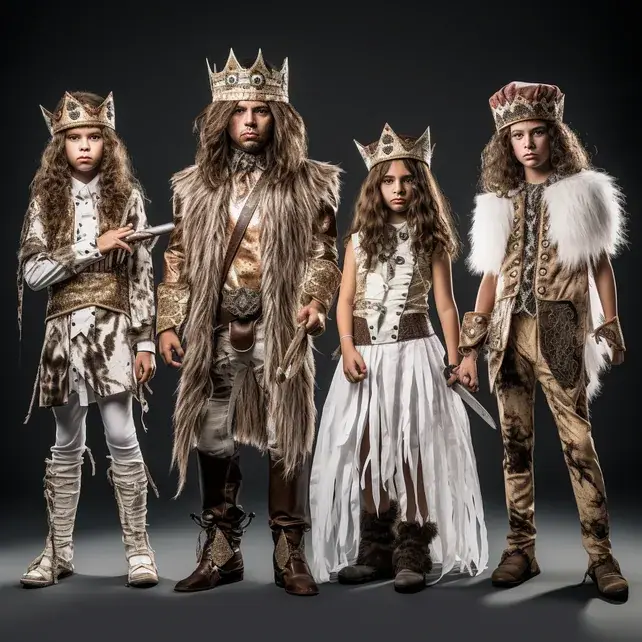
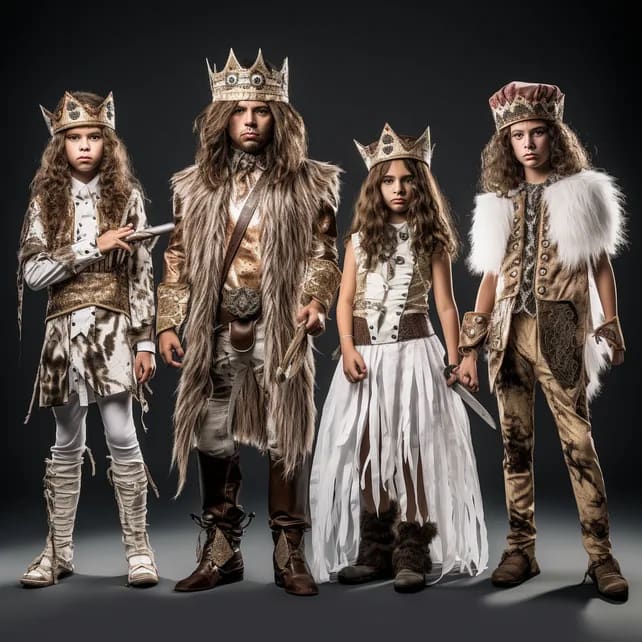
  • A Fancy Dress Party cover
  • A Football Trainer cover
  • Building Futures 6 - Week 1: Unit 1 cover
  • A Funny Feeling cover
  • A Garden cover
  • Building Futures 7 - Week 1: Unit 1 cover

Covers from Carna's own modules: the readers and units a teacher assigns to a class.

  • Send us your units

    A service, not a self-serve upload

    Send us your units, and our team turns them into interactive, auto-graded lessons. Nothing goes live until your team approves it.

    • What our team builds from your units belongs to your school, and no other school sees it.

— 02 / Teach

Teaching English: every step of a lesson, one app.

Teachers use Carna for Schools to assign the chapter, write the test, hand out speaking and writing practice from Carna's library and open the coursebook on the classroom board. The screens below are the teacher app itself, with a sample school's data.

Deadlines that hold.

Choose the module, the class or just a few students, the due date and the attempts. One action assigns and publishes it, and Carna holds every student to those settings.

  • Whole class or named students
  • A due window and an attempt cap
  • Late work refused unless you allow it

The assign window in Carna, open over Courses. Carna School London and its 9A English class are the demo school; the module, the names and the dates are samples.

No blank page.

Set the level, the categories and nine question types, and watch the test write itself. You preview, edit and approve every question before it is saved.

  • Start from scratch, your coursebook or the MEB curriculum
  • Nine question types, picture choice included
  • Nothing is saved until you approve it

Test Generation in Carna. Carna School London is a sample school; every value in the form is a sample.

Speaking and writing, assigned.

Assign speaking and writing practice from Carna's published library: scenarios, independent speaking and essay writing. Practice is in beta, and the badge says so.

  • Speaking scenarios, independent speaking and essay writing
  • A job interview scenario at B2
  • Beta: scenario authoring is not open to teachers yet

Practice in Carna, in beta. Carna School London is a sample school; the library cards are published practice modules.

Your coursebook, on the board.

The coursebooks your school licenses, opened on the classroom board in one click. Students open the same book on their own screens.

  • Search the shelf, or filter it
  • The level on every cover
  • One action: Open

Smartboard in Carna. Carna School London is a sample school; the covers are from Carna's own modules.

— 03 / SEE

How do teachers see who needs help?

When a teacher opens Carna for Schools, the students who need them are already listed, each with a reason. Reports shows the class around them, and one click opens a student's report: their average against the class, what they handed in, how many tries it took and what came in late.

1 · The home screen

Who needs you today.

The Needs Support card on your home screen lists the students to look at first, each with one reason in plain words. Open a name to go straight to that student's report.

  • Not started, overdue, or averaging under 60%
  • At most 5 students, worst first
  • Move the card, hide it, or reorder the rest

In the demo school, Zara Ahmed is flagged as overdue at 47%. Her report, the screen at the top of this page, shows why: a worksheet handed in late, at 37%.

A teacher's home screen in Carna. Carna School London is a sample school; the students and their scores are demo data.

  • 2 · REPORTS

    The class, course by course.

    Every course in the class, ranked by its average score from the strongest to the weakest.

    Reports in Carna. Carna School London is a sample school; the scores are demo data.

  • 3 · ONE STUDENT

    Zara, and why.

    What she handed in, how many tries each one took, and the worksheet that came in late, at 37%.

    One student's report in Carna, course by course. Zara Ahmed is a demo learner at a sample school; every figure is demo data.

— 04 / THE TEST

How does AI test generation work?

A teacher sets the level, the categories and the question types, and Carna writes the test one question at a time while they watch. They preview, edit and approve every question before it is saved. Nine of the eleven question types are then marked against the answer key the moment a student submits, with no teacher and no AI involved.

Customising a test in Carna: the path, then the form, with the note that you preview, edit and approve every question before it is saved. Carna School London is a sample school; every value is a sample.

  • Edit or swap any question

    A swap keeps the question's type

    Watch your test write itself, then edit or swap any single question before it reaches a student.

    • Ask for one picture-choice question and Carna draws the options to choose from.
  • Generate a listening test

    One voice per speaker, every turn

    Choose Listening when you generate a test. Carna writes a short talk or dialogue, gives each speaker a voice of their own, and writes the questions to go with it.

  • Safety-checked first

    No bypass when the check is down

    Every question Carna writes — and every listening script and picture behind one — is safety-checked before it reaches your screen. If the check can't run, nothing is generated.

— 05 / TURKISH K-12

Tests that start from the Maarif curriculum.

When the MEB curriculum card is on for your school, teachers can start a test from the curriculum itself. They pick an MEB grade, and the form fills in from the published reference: level, learning outcomes, vocabulary and question types, all of it editable before any questions are generated.

Test generation in Carna with the MEB path chosen. The grade and the filled values are samples.

— 06 / SMARTBOARD

Smartboard: your coursebook, on the classroom board.

Smartboard holds 53 interactive coursebooks. A teacher opens one on the classroom board, students open the same book on their own screens, and your school admin chooses which classes get each one.

  • A Blessing in Disguise
  • A Conquest
  • A Fancy Dress Party
  • A Counter-Attack
  • A Football Trainer
  • A Funny Feeling
A teacher's Smartboard shelf in Carna. The covers are from Carna's own modules; the search and filter chrome is drawn.
The school admin's choice of classes for each board. Which board is open to which classes is a sample.

— 07 / TEACHER REVIEW

AI grading: it suggests, your teacher decides.

AI grades arrive as suggestions, and Carna labels them that way. An essay's suggestion shows a CEFR band, a score, how sure the model is and why. Nothing becomes the student's mark until a teacher decides, and speaking works the same way.

Reports in Carna: the essay grading queue, and Essay Writing gradings after a teacher's decision. Names, reasoning and scores are samples.

— 08 / SETUP

How does a school roll Carna out?

Your school's pre-approved list puts each person in the right class the first time they sign in, a student with no email address of their own signs in with a username, and every answer is saved as students work.

  1. Each person arrives in the right class

    Your school's pre-approved list holds student and teacher email addresses, each with a class. When someone on the list first signs in to Carna, including with Google, they join that class, with no code to hand out. Each entry is used once, and an unused one can be revoked.

    • Someone can be taken off the roster or concluded at the end of a term, then brought back later.

    Matched on the exact email address

  2. No email needed

    Students can sign in with a username instead of an email, typed into the same box. When students are imported, the usernames and passwords your school already uses can come with them, and Carna creates only the ones left blank.

    • Your school keeps a record of every batch of accounts it issued — who was added, how, by whom and when — and can download it. No password is kept in it.

    Email or username, one sign-in box

  3. Saved as they go

    Answers save as students work and come back when they sign in again, on the same device or another one. Each student's work stays their own, even on a shared lab computer.

    On the device and on the account

— 09 / PARENTS

Can parents see how their child is doing?

Yes, in the parent portal. A student creates a short code, easy to read out, and it expires after 24 hours. A parent enters it, then sees assigned work, results and new activity whenever they look, and nothing about the rest of the class. Results a teacher holds back until the due date stay hidden from parents too.

A student creates a pairing code in Settings. The code is a sample.
The parent portal: one student's progress, and nothing about the rest of the class. The name and numbers are samples.

— SIDE BY SIDE

A static coursebook platform vs. Carna

What changes for a teacher, row by row. Where Carna is partly there, the table says so.

Carna and Static coursebook platform, feature by feature, checked September 2026
Feature Static coursebook platform Carna
Coursebooks opened on the classroom board Yes Yes
Tests generated from the unit you teach, reviewed question by question No Yes
Nine of eleven question types marked the moment a student submits Partly . Typically the book's own exercises Yes
Essays and speaking graded with an AI suggestion a teacher decides No Yes
Who needs help, on the teacher's home screen, with the reason No Yes
Speaking and writing practice from a published library No Partly . Beta. You assign from Carna's library.
Your own units, built into auto-graded lessons No Partly . A service by our team, not a self-serve upload.
Works with your LMS Partly . Varies by platform Partly . Google sign-in today. Talk to us about your LMS.

Checked

The left column describes a static coursebook platform in general terms, not a named product. Check the one your school uses.

— FAQ

Questions schools ask about Carna.

Short answers, each held to what the product does today. The long ones are a demo away.

What is the best English learning platform for schools?

The one your teachers will actually use. Look for content levelled to the CEFR, tests set at each class's level, marking that leaves the teacher in charge and a clear view of who needs help. Carna for Schools does all four: CEFR-aligned modules from A1 to C2, tests teachers generate and approve, AI grade suggestions a teacher confirms or changes, and a home screen that lists who needs help first.

What is the best platform for teaching English online?

For a class, one where the English work happens online and the teacher stays in charge. In Carna for Schools, teachers assign modules with a due date and an attempt cap, generate tests they preview, edit and approve, and assign speaking and writing practice, which is in beta. Nine of the eleven question types are marked the moment a student submits; essays and speaking arrive as AI suggestions a teacher decides.

Is Carna for Schools only for English?

Yes. Carna's content, tests and marking are built for English alone and set to the CEFR, from A1 to C2. Keep the tools you already use for other subjects: Google sign-in works today, and we will tell you what connects to your LMS before you decide.

Does it work with our existing LMS?

Google sign-in works today. Tell us which LMS or student information system you use and we will walk you through what connects now and what is planned, before you decide.

How do teachers learn it?

Your school's pre-approved list puts each teacher in the right class the first time they sign in, and a Student view in the header shows them exactly what a learner sees. The demo walks your team through assigning a chapter, generating a test and reviewing a graded essay.

Does AI grade my students?

It suggests. Nine of the eleven question types are marked against the answer key the moment a student submits, with no AI involved. Essays and speaking arrive as a labelled suggestion, with a CEFR band, a score and the reasoning, and nothing becomes a mark until a teacher decides.

Is speaking practice included?

Speaking and writing practice is in beta. Teachers assign scenarios, independent speaking and essay tasks from Carna's published library; scenario authoring is not open to teachers yet.

What about data privacy?

Access follows roles: a teacher sees their own classes, a parent sees only their own child and nothing about the rest of the class, and results a teacher holds back until the due date stay hidden. Your school keeps a record of every batch of accounts it issued, with no passwords in it. The details are on our Trust page.

Can we use our own textbooks?

Yes. Send us your units, and our team turns them into interactive, auto-graded lessons. Nothing goes live until your team approves it.

Book a demo

See Carna from your teachers' point of view.

Tell us about your school and we'll set up a 45-minute walkthrough on the teacher app: assign a book chapter, generate a test, review a graded essay, open the reports.

After you book

No slide deck. The teacher app, live.

  1. We reply within one business day

    The schools team writes back to fix a time that suits your timetable.

  2. A 45-minute walkthrough

    Assign a chapter, generate a test, review a graded essay and open the reports, on the teacher app itself.

  3. Your questions, answered

    Bring your curriculum, your exam goals and the tools you use today. We tell you what connects now and what is planned.

How we handle school data →